Your laptop battery dies fast and leaves you hunting for an outlet after just a couple of hours. That sudden drop in battery life often points to normal wear, background apps, or a failing battery cell pack.
Run a quick health check first
Windows and macOS both show battery details without extra software. On Windows, open a command prompt and type powercfg /batteryreport to generate a file with capacity numbers and cycle count. On a Mac, hold the Option key while clicking the battery icon in the menu bar. These reports tell you the original design capacity versus what the laptop battery can hold now. If the number sits below 70 percent, the pack is worn and a laptop fix becomes worth considering.
Try simple tweaks before spending money
Lower screen brightness by 20 percent and turn off keyboard backlighting when you do not need it. Close browser tabs and apps that keep the CPU busy in the background. Switch to power saver mode in the system settings. These steps often stretch battery life by an hour or more without touching hardware. If the gain feels small after a week, the laptop battery itself is likely the main issue.
When a battery replacement makes sense
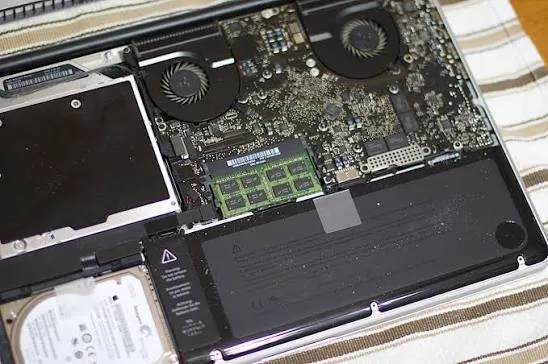
Many laptops let you swap the pack in a few minutes with a screwdriver. New cells restore several hours of use and cost far less than a full machine. Older models with glued-in batteries need more work and may push the price close to the value of the laptop. We check the age and specs first so you know whether the repair pays off.
Deciding between repair and a new laptop
Compare the cost of a new battery plus any other needed work against the price of a current model. If the laptop is five years old or shows other problems like slow storage or cracked hinges, a fresh machine usually gives better long-term value. A newer laptop also brings improved efficiency, so battery life starts higher and stays higher longer. We lay out both options side by side so the choice fits your budget and how you use the device.
Keep the new battery healthy
Avoid letting the charge sit at zero for days. Run the laptop on battery now and then instead of leaving it plugged in nonstop. Store the machine in a cool spot when it is not in use. These habits slow capacity loss and help the replacement last longer.
Most laptops lose battery life gradually, so the change can sneak up on you until work gets interrupted.
If your laptop battery dies fast and the health check shows clear wear, bring the machine by the shop. Contact Sid for options to quote a replacement if it makes sense, and help you weigh that against buying new so you leave with a clear next step.
Thumbnail Photo by : Alan Levine